Top Builders

Explore the top contributors showcasing the highest number of app submissions within our community.

Samsung Galaxy S25 Ultra

Samsung Galaxy S25 Ultra is Samsung's 2025 flagship smartphone, announced January 22, 2025 and released February 3, 2025. It is powered by the Qualcomm Snapdragon 8 Elite for Galaxy, a custom 3 nm variant of Qualcomm's top mobile SoC. The S25 Ultra is the primary hardware target for the ExecuTorch hackathon and represents Samsung's most capable on-device AI platform, with the Hexagon NPU enabling features that previously required cloud processing to run entirely on the device.

General
Release date3 Feb 2025
DeveloperSamsung Electronics
TypeFlagship Android Smartphone
LicenseCommercial device; developer tools available
Documentationdeveloper.samsung.com
OSAndroid 15, One UI 8 (7 major Android upgrades promised)

Core Features

  • Snapdragon 8 Elite for Galaxy — Qualcomm's 3 nm SoC with Oryon V2 CPU cores (up to 4.47 GHz) and Hexagon NPU; 40% faster AI task handling and 45% better performance-per-watt vs. Snapdragon 8 Gen 3 (S24 Ultra).
  • On-device Galaxy AI — Generative Edit, live call transcription, 20-language translation, and Writing Assist run locally on the Hexagon NPU, not in the cloud.
  • Personal Data Engine — on-device engine that analyzes Samsung native-app data to personalize AI features; all data stays local, encrypted in Knox Vault.
  • Knox KEEP — hardware-backed encrypted storage environments for AI data per application.
  • Google Gemini integration — Gemini handles cross-app agentic commands (Circle to Search, multi-step actions) via the side button.
  • S Pen — built-in stylus with S Pen Remote SDK for developers to build custom button-interaction features.
  • 6.9-inch Dynamic LTPO AMOLED 2X — 120Hz, 1440 x 3120 resolution, 2600 nits peak, Gorilla Armor 2 glass.
  • 12 GB / 16 GB LPDDR5X RAM — with 256 GB, 512 GB, or 1 TB UFS 4.0 storage.
  • USB-C 3.2 Gen 2 — with DisplayPort 1.2 for Samsung DeX desktop mode.

Galaxy AI Features

FeatureOn-Device or CloudDescription
Now BriefOn-deviceProactive personalized daily briefing on lock screen
Now BarOn-deviceAlways-visible status for live tasks and ongoing activities
Generative EditOn-deviceAI photo editing (previously cloud-only on S24)
Audio EraserOn-deviceRemove specific ambient sounds from recorded video
Circle to SearchGoogle cloudDetect phone numbers, emails, URLs in video/audio
Cross App ActionsGemini cloudMulti-step tasks via one natural-language command
Portrait StudioCloudAI portrait modes (Sketch, Watercolor, Cartoon, 3D)
Call TranscriptOn-deviceLive call transcription with automatic note formatting
20-language TranslationOn-deviceReal-time spoken language translation
Writing AssistOn-deviceSummarization, rewriting, and auto-formatting
ProScalerOn-device40% AI-enhanced display upscaling
Multimodal SettingsOn-deviceNatural-language device settings control

Tools and Resources

  • Samsung Developer Portaldeveloper.samsung.com — SDKs, Code Labs, Remote Test Lab, and community support.
  • Galaxy On-Device AI Partner Portalaisdk.developer.samsung.com — access to the Samsung AI SDK for building on-device AI features (application-based).
  • S Pen Remote SDK — build custom interactions triggered by S Pen button gestures.
  • Remote Test Lab — test your app on real Galaxy S25 Ultra hardware without owning a device.
  • Knox Documentationdocs.samsungknox.com — enterprise security APIs and Galaxy AI data processing policies.
  • SDC24 on-demand sessionsdeveloper.samsung.com/conference/sdc24 — Galaxy AI, Knox AI, and on-device inference deep dives.

Ecosystem and Integrations

  • ExecuTorch (Meta/PyTorch) includes an alpha Samsung Exynos NPU backend; Snapdragon 8 Elite is supported via the stable Qualcomm AI Engine backend.
  • Llama 3.2 1B and 3B quantized models achieve over 40 tokens/s decode and over 350 tokens/s prefill on the Galaxy S24+ (Snapdragon 8 Gen 3); the S25 Ultra's Snapdragon 8 Elite delivers further improvements.
  • Google Gemini is the primary agentic AI runtime on Galaxy S25 Ultra, enabling cross-app automation and visual search via Circle to Search.
  • Samsung DeX turns the S25 Ultra into a desktop workstation when connected to a monitor via USB-C, useful for developer productivity.

Start building for Galaxy S25 Ultra at developer.samsung.com or request Samsung AI SDK access through the Galaxy On-Device AI Partner Portal.

Samsung Samsung Galaxy s25 ultra AI technology Hackathon projects

Discover innovative solutions crafted with Samsung Samsung Galaxy s25 ultra AI technology, developed by our community members during our engaging hackathons.
EchoWalk: On-Device Guidance for Low-Vision Users

EchoWalk: On-Device Guidance for Low-Vision Users

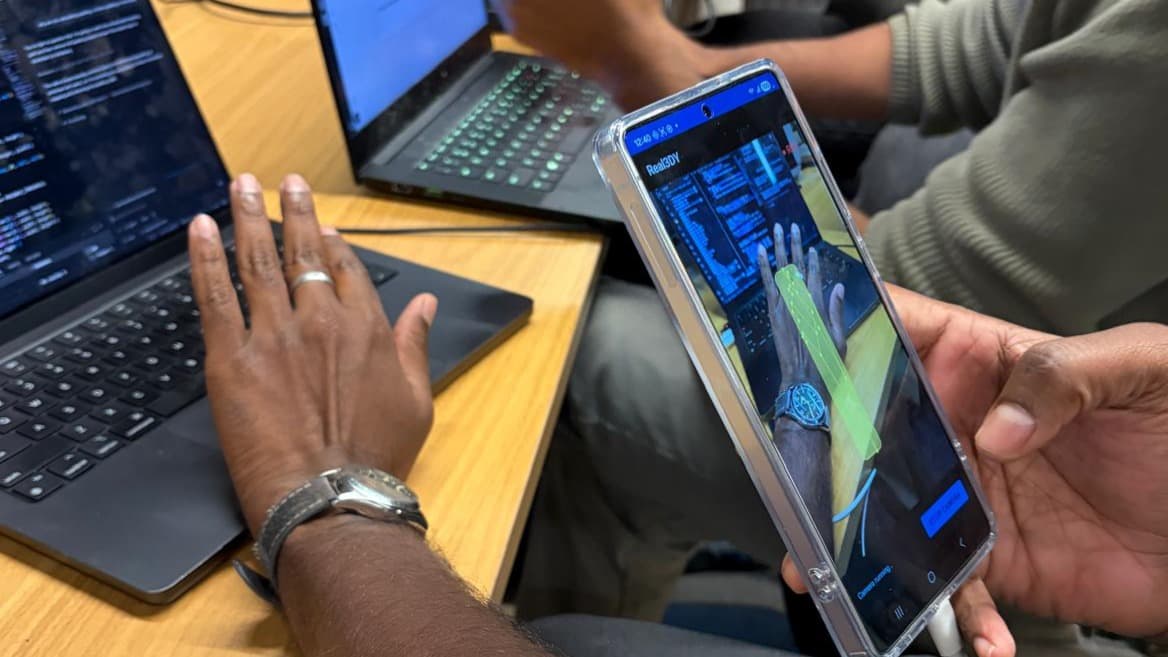
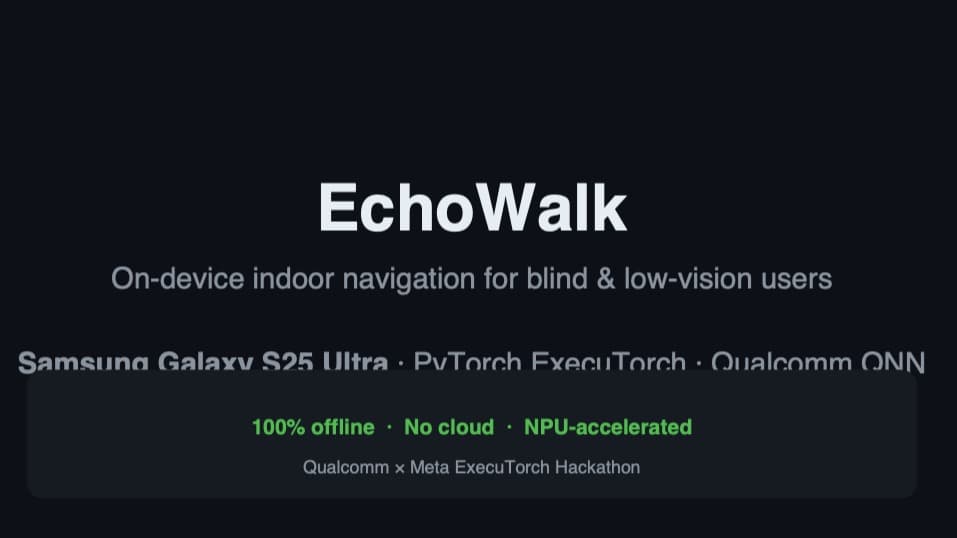
Imagine walking through an unfamiliar room with your eyes closed. You need to know what is ahead, what is around you, and how to reach the chair someone mentioned — without cloud latency or sending your camera feed anywhere. EchoWalk is built for that moment. On a Galaxy S25 Ultra, one shared camera pipeline feeds a central ModeManager that decides when to warn, when to describe, and when to search — all on the Snapdragon NPU via ExecuTorch and Qualcomm QNN. Safety Radar runs continuously. Depth Anything V2 and YOLOv10 fuse on the Hexagon NPU: not just what is there, but how far and whether it is a trip hazard or a wall you can trail. Spatial audio and haptics place obstacles in space; a VoiceWarningEngine speaks when it matters. A live bounding-box overlay helps sighted helpers follow along in demos. Scene Description is on demand — tap the preview, the Describe button, or long-press Volume Up. A short burst of frames runs through a Places365 classifier and pairs the room label with live YOLO directions: "You appear to be in a living room — couch on your left, TV ahead." Auto-describe announces stable scene changes hands-free. The full SmolVLM-500M stack is integrated and validated through handoff scripts; richer VLM captions are ready for the next aligned build. Find Mode is voice-first. Long-press Volume Down, say "find the bottle," and the app maps your words to everyday object labels. It scans the room, guides you turn by turn, warns about obstacles in your path, highlights the target on screen, and remembers where it last saw it so the next search starts with a hint. Accessibility is front and center: lock-screen access, screen-on at launch, spoken onboarding with a first orientation from live radar, eyes-free volume shortcuts, and double-tap to repeat your last description. No cloud. No upload. Your home never leaves your pocket.

SixthSense: Haptic Vision for the Blind

SixthSense: Haptic Vision for the Blind

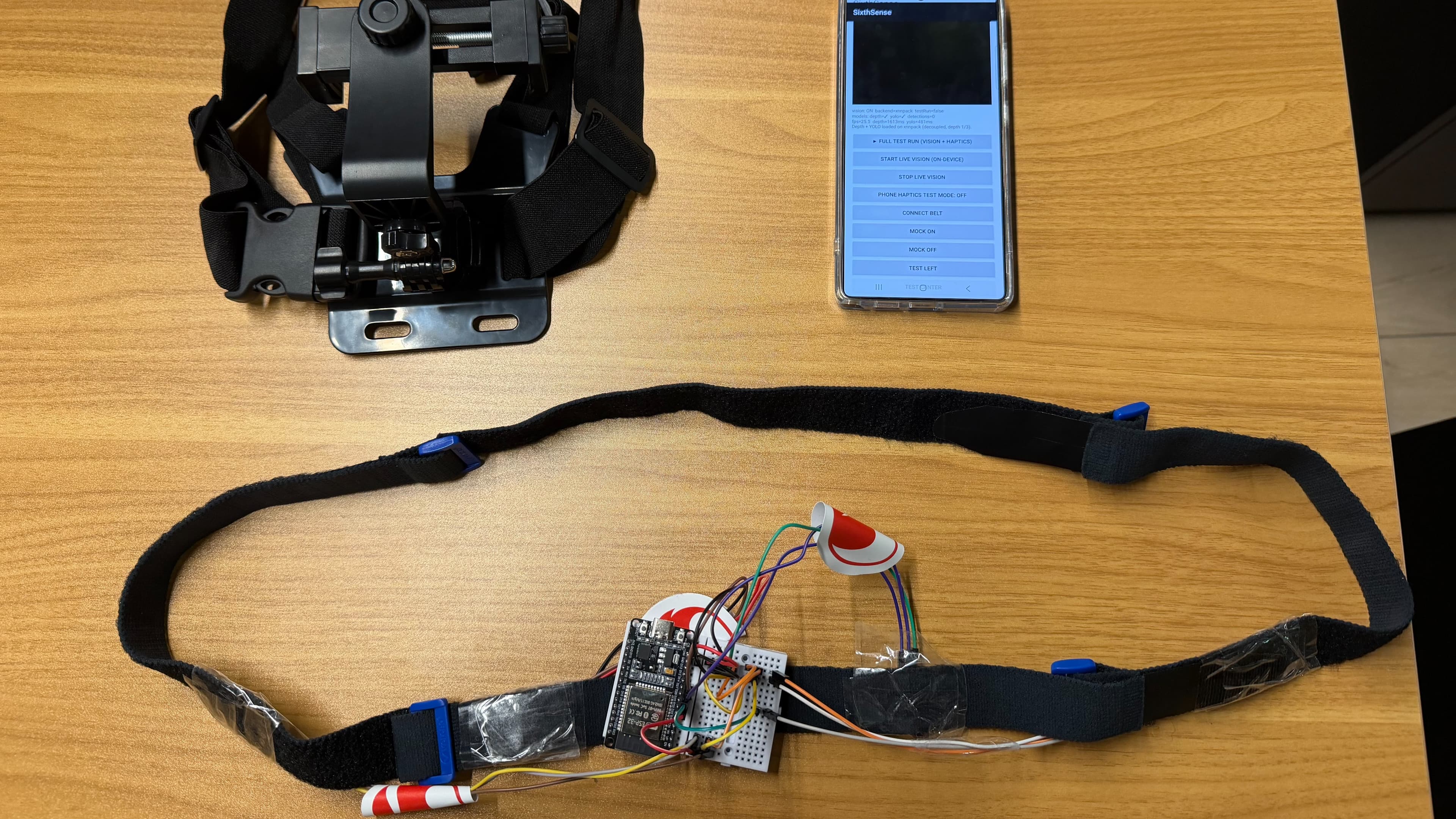
SixthSense is a wearable that helps blind and low-vision people sense obstacles around them and find a clear path. A phone is mounted on the chest and watches the way ahead. On-device models turn what the camera sees into a simple readout: how near obstacles are in the left, center, and right zones, what objects are present, and whether the path is clear. That readout drives a vibration belt worn at the waist, which buzzes on the side of the nearest obstacle so the user can feel which way to move. The point is that knowing something is close is not enough. A basic vibrating cane buzzes whenever anything is near, so in a crowd it buzzes constantly without telling you where the gap is. SixthSense reads each zone separately and steers the user toward open space, so it stays useful in busy areas. The user can also ask what is ahead and hear a short spoken answer, or point the camera at a sign and have its text read aloud. The vision runs on the phone. YOLOv11n detects objects and tags each to a left, center, or right zone. Depth-Anything-V2 estimates how near things are, which sets how hard the belt buzzes. Qwen2.5-0.5B answers spoken questions about the scene, and ML Kit reads text on demand. The models run through ExecuTorch as compiled files on the phone, offline, on a Qualcomm Snapdragon 8 Elite, with the option to run on the Hexagon NPU. The phone sends a small directional packet over Bluetooth to an ESP32, which drives the belt motors. Cost is the main reason it exists. Smart canes and glasses run from about $850 to over $2,000, and only one in ten people who need assistive technology can get it, dropping to about five percent in lower-income countries. SixthSense uses a phone the user already has and a sub-$20 belt, with room to reach about $50 at scale, putting this within reach of people who are priced out today.

Lodestar — Offline AI Survival Copilot

Lodestar — Offline AI Survival Copilot

GPS denial is no longer rare: Poland logged 2,732 jamming incidents in one month in early 2025, and an EU Commission President's plane lost GPS near Bulgaria and landed on paper maps. When navigation fails, everything built on top tends to fail at once including medical guidance, since most first-aid apps assume connectivity that may not exist when it matters most. Lodestar is an offline, on-device AI survival copilot built for that moment. It runs on Snapdragon hardware via ExecuTorch, requesting no INTERNET permission at all, across three capabilities: TREAT — describe an injury by voice or text and get a severity-ranked, source-cited first-aid response. Severity comes from a deterministic safety-tree engine, not the language model, so the system can't be talked into downgrading a critical call by ambiguous phrasing. The model explains and cites a TCCC/MARCH corpus but cannot override the verdict underneath. We tested negation handling ("hasn't stopped" vs. "has stopped now"), the failure mode that matters in the field — and caught and fixed a real bug here during testing. ORIENT — true north without a satellite. By day, a solar compass derives heading from the sun's position, verified against documented sunrise, sunset, and solar-noon directions. By night, on-device star plate-solving matches a photographed sky against a catalog. A status strip shows the active position source — GPS_TRUSTED, DEAD_RECKONING, SOLAR_FIX, or STAR_FIX — and flips in real time if GPS is spoofed, freezing to the last trusted fix. COMMUNICATE — medic-casualty translation plus a one-tap SOS card from the TREAT conversation. Every model-backed capability sits behind one interface, so the app was built and tested against a stub before the real models landed swapping to production is a one-line change. We're upfront about what's tested today (safety tree, solar math, spoof detection all pass automated tests) versus what's in progress (corpus coverage, runtime integration)