

🤓 Latest Submissions
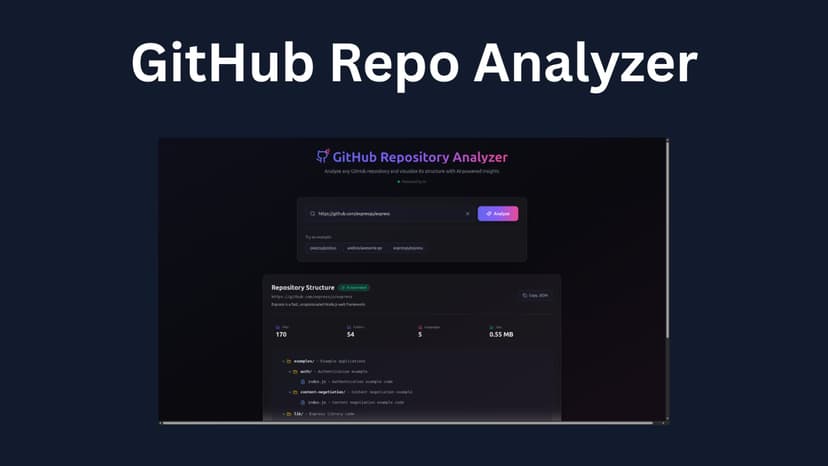
GitHub Repository Analyzer
CodeDiagram AI is a full-stack developer tool that helps programmers instantly understand unfamiliar GitHub repositories using AI. Users simply paste a public GitHub repository URL, and the application clones the repository, analyzes its structure, detects important files, and generates an interactive visual tree diagram with AI-generated explanations for every folder and file. The backend recursively scans repositories, extracts important project context such as README files and dependency configurations, and sends optimized repository data to an AI model for intelligent analysis. The frontend then renders a fully interactive tree structure with expandable folders, explanations, project statistics, and repository insights. The project was designed to solve a common developer problem: understanding large and complex codebases quickly without manually exploring every directory and file. Key Features: - AI-powered repository analysis - Interactive visual tree diagrams - Automatic folder/file explanations - GitHub repository cloning and scanning - Framework and language detection - Expandable/collapsible file explorer - Real-time analysis interface - Error handling and fallback manual generation - Responsive developer-focused UI Note: AI can make repository shorten by making tree of important folders and file. If the AI token limit is exceeded or the AI service fails, the backend automatically falls back to generating the repository file tree programmatically, ensuring users still receive a complete repository structure and analysis experience. They run fine on localhost, but show an error in production there is no time with me to fix the production error.
17 May 2026

